Procedural Generation for my game Museum Robbery
Context
This level generation was created as part of an evaluation I had at SAE Institute Geneva for the GPR4400 class. We had to create a game that would contain a procedurally generated level and AI (pathfinding).
Introduction
Museum Robbery is a 3D first person view game where the player is a robber breaking into a museum to steal an artefact and must navigate the level to reach his goal while avoiding guards.
For this specific game, I had to create a 3D museum for the level and, being my first time tackling procedural generation, I chose to use a BSP (Binary Space Partitionning) algorithm that would help me have a simple level on one floor.
To that end, I searched how to create a BSP algorithm that would fit my needs and found a series of tutorials on youtube that explained how to create a 3D dungeon level in Unity: https://www.youtube.com/playlist?list=PLcRSafycjWFfEPbSSjGMNY-goOZTuBPMW
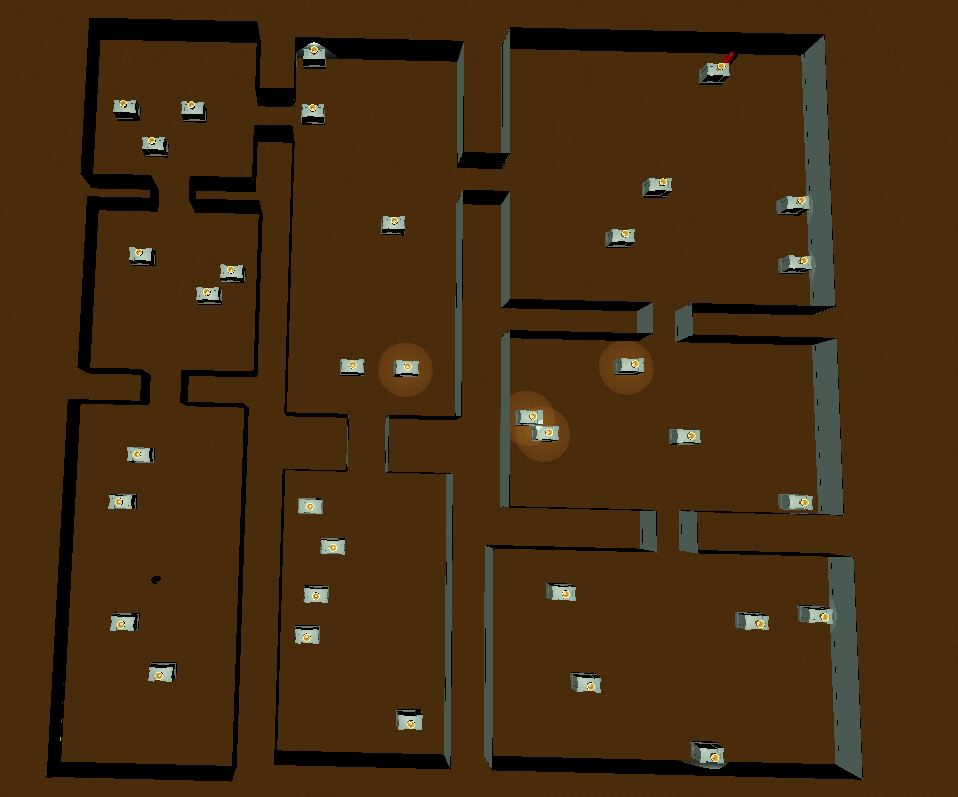
Problems I encountered while working on the level generation
As I was following the tutorial, I had quite a hard time understanding what he was doing and had to pause multiple times to wrap my head around what he was doing. But as time went on, I got it. The algorithm works as follows:
- First, you decide the space you want to divide and use a BSP algorithm for it.
- After that, you set up nodes for the rooms inside the spaces created by the BSP algorithm, deciding the size of the room you will create inside it.
- When you have your rooms ready, you have to link them by corridors, using the tree you set up with the BSP algorithm to connect children to parents, but only once!
- And finally, you create a mesh for the floor that will take both the rooms and corridors, before instantiating walls.
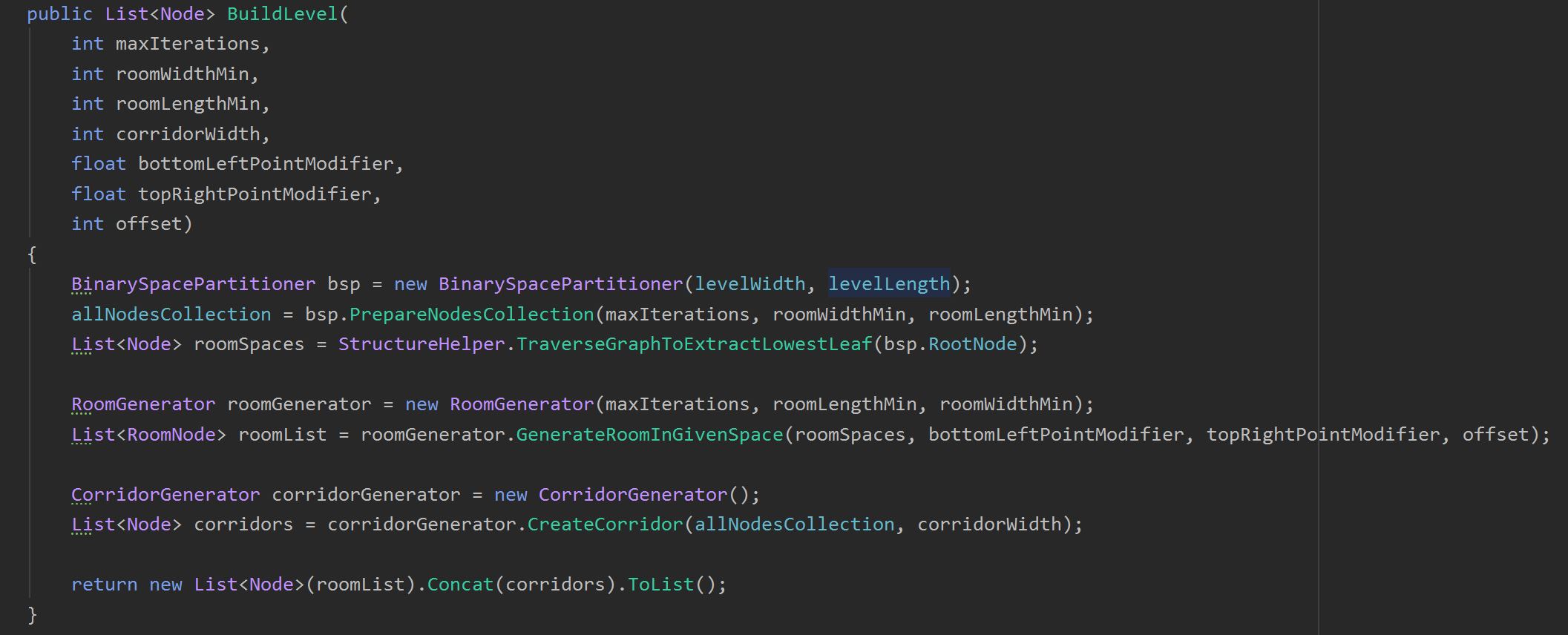
That was what the tutorial did and I followed it closely at first. That’s when the first problems arised.
The wall problem
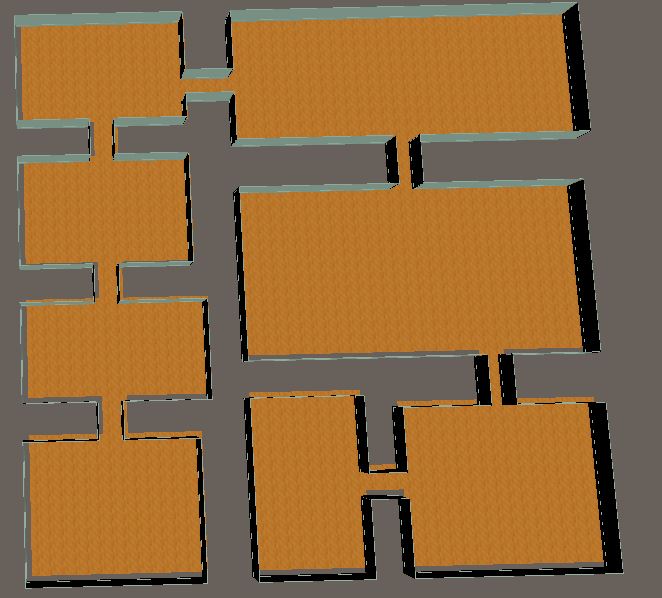
At the end of his tutorial, this person just adds a prefab wall he had, without any explanation on what it was or how he created it.
It took me some time figuring out how to create a 3D wall prefab and use it in the script, because it was also my first time creating something in 3D.
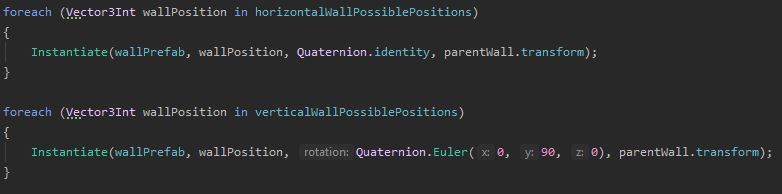
One other problem that arose from this was the orientation of the wall, because, in the tutorial, he had already decided the orientation of his walls before instantiating them, which meant he didn’t have to use Quaternion for the orientation. That’s when I changed his method to create walls to take into account a rotation when instantiating the wall, rotating it for 90° when he was on the z-axis.
The floor problem
After finally getting my walls up and my level complete, there was a new problem: the walls and floors had an offset all around the level, which created holes in the level where the player could potentially fall.
At first, I wanted to create an offset vector to reposition the walls, but my teacher had a simpler (better?) idea. Instead of setting up the offset vector, I could just put a plane large enough for the level and simply create the walls over it. It sure was quicker than typing code and trying over and over to get the placement just right.
The spawning
When I finally had my level up and working, I had to place my player, objects and guards into it.
It seemed easy at first, because all I had to do was cycle through the rooms, deciding what would go where. But it unforutnately wasn’t.
The first problem I had was that, the list of rooms the generator had returned contained not only the rooms, but also the corridors. Obvisouly I didn’t want my player or guard to spawn there, nor other objects. After some pondering, I realized that the corridors weren’t part of a tree structure, so they didn’t have any parent or children, which I used in an if statement that forced the nodes I was going to spawn objects in to have a parent, or else move on.
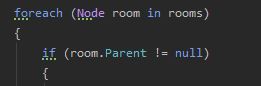
What I tried to do for spawning the player and guards was to create a vector to place them in their respective room and then forcing them there.

As for the other objects, instead of putting them in the scene and then moving them, I instantiated them, because I didn’t know how much of them I would need.
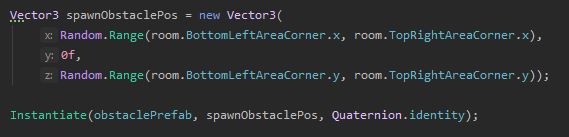
What is left to do and final thoughts
At the end of the project, there are still things I would have liked to do but because of deadlines and my partner not being very cooperative before leaving the school in the last two weeks, I couldn’t.
The first thing I would have wanted (and possibly needed) more time to polish is the AI. It is working, pathfinding and all, but it still has bugs from time to time I couldn’t solve in time unfortunately. I also only could make one AI work at a time in the level and even though I tried my best to make it work, I was out of time, which means that for now there’s only one AI in the game and it could use some polish.
As for the level generation, I am quite happy with what I did, even though I would probably want to optimize some things like the random object spawn.
In the end, it was a great experience and I learned a lot, even though it wasn’t easy all the time, and I hope I can keep learning more to better myself.