Description and option material files Tool
Introduction
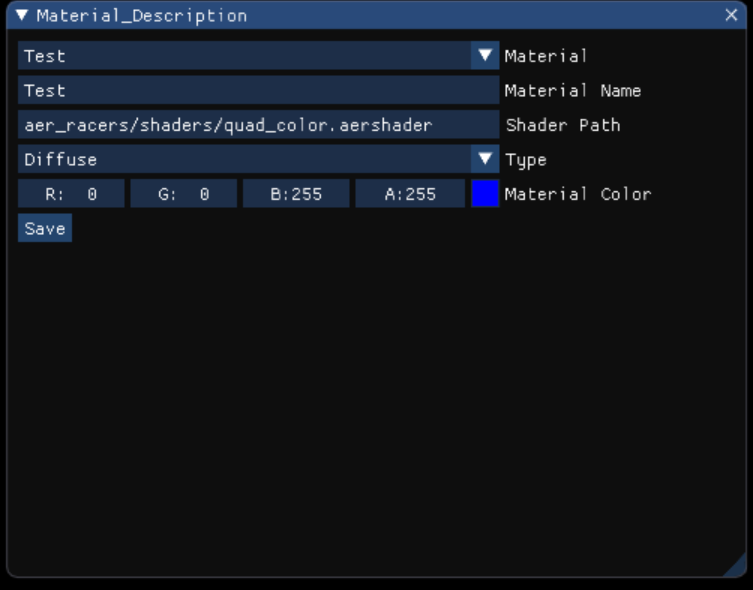
This tool was created for the thrid years’ Games Programming bachelor projet at SAE Institute Geneva. The goal of this tool is to give the user the possibility to modify items of a material file (json file) in the custom Aer Editor, based on the Neko Engine (https://github.com/EliasFarhan/NekoEngine), using the ImGui library (https://github.com/ocornut/imgui) to visualize it.
How does it work?
The tool is composed of a C++ header (material_description.h) and a source file (material_description.cpp).
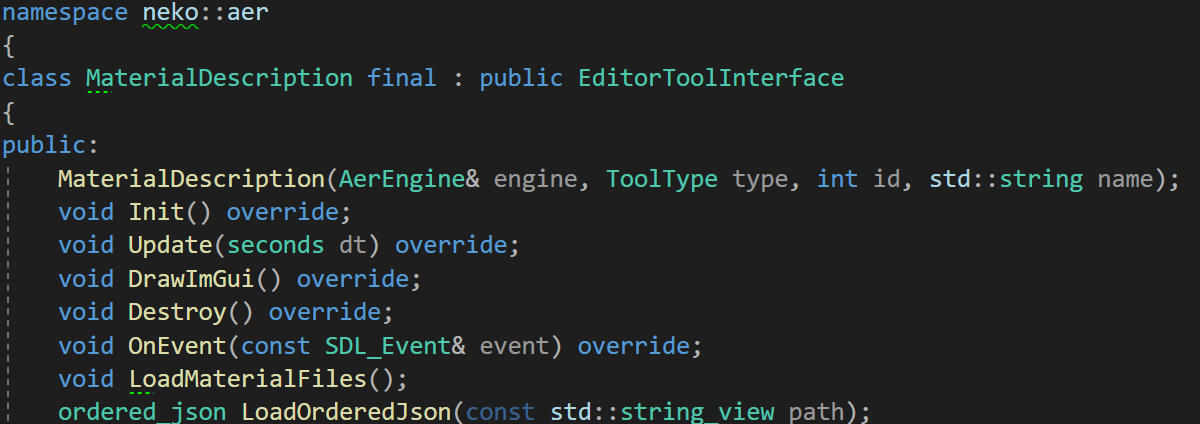
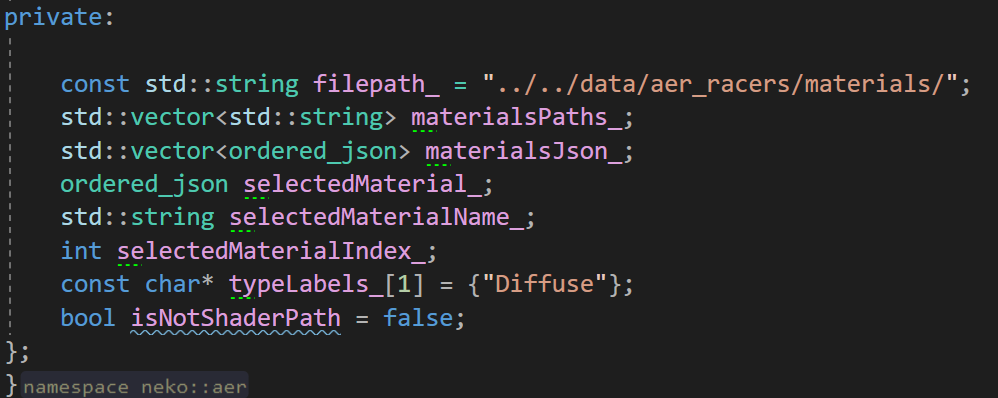
The MaterialDescription class inherits from the EditorToolInterface classe which is a custom classe made by the third years for their editor. The tool is composed of inherited functions and two other functions. Most of the tool’s code is inside the DrawImGui() function
LoadMaterialFiles()
The LoadMaterialFiles() function is composed of two for loops, the first to get all materials’ paths inside the materials folder and the second is to load every json file in the material folder into the tool. This function is called when the tool opens and everytime the user presses the “Save” button.
    void MaterialDescription::LoadMaterialFiles()
    {
      if(!materialsPaths_.empty() && !materialsJson_.empty())
      {
	      materialsPaths_.clear();

	      materialsJson_.clear();
      }

      for (const auto& entry : std::filesystem::directory_iterator(filepath_))
      {
	      auto it = std::find(materialsPaths_.begin(), materialsPaths_.end(), entry);
	      if (it == materialsPaths_.end())
	      {
		      materialsPaths_.push_back(entry.path().string());
	      }
      }
      for (const auto& materialPath : materialsPaths_)
      {
	      ordered_json materialJson = LoadOrderedJson(materialPath);

	      auto it = std::find(materialsJson_.begin(), materialsJson_.end(), materialJson);

	      if (it == materialsJson_.end())
	      {
		      materialsJson_.push_back(materialJson);
	      }
      }
    }
DrawImGui()
In the DrawImGui() function, the first thing it does is load a window using ImGui::Begin in an if statement.
If the window is open, the tool creates a scrolling menu with ImGui::BeginCombo to make a custom combo function:
    if (ImGui::BeginCombo("Material", selectedMaterialName_.c_str()))
	    {
		     for(int i = 0; i < materialsJson_.size(); i++)
		  {
			const std::string_view materialName = materialsJson_[i]["name"].get<std::string_view>();
			bool isSelected = materialName == selectedMaterialName_;

			if(ImGui::Selectable(materialName.data(), &isSelected))
			{
				selectedMaterialName_ = materialName;

				selectedMaterial_ = materialsJson_[i];

				selectedMaterialIndex_ = i;
			}
		}

		ImGui::EndCombo();
	}
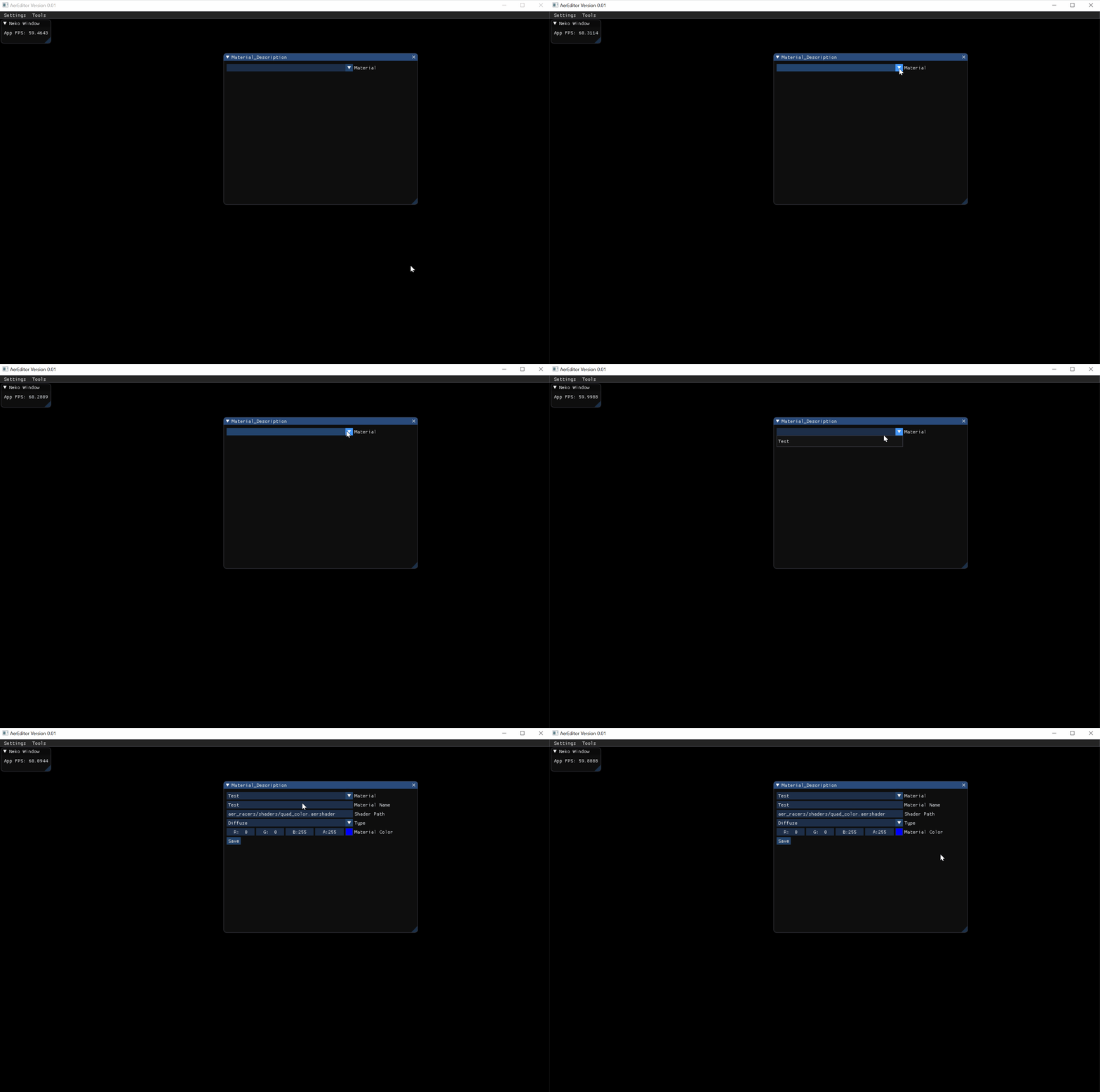
As presented in the gif, when a material is selected from the combo, it opens the file and gives the user the possibility to change the different variables.
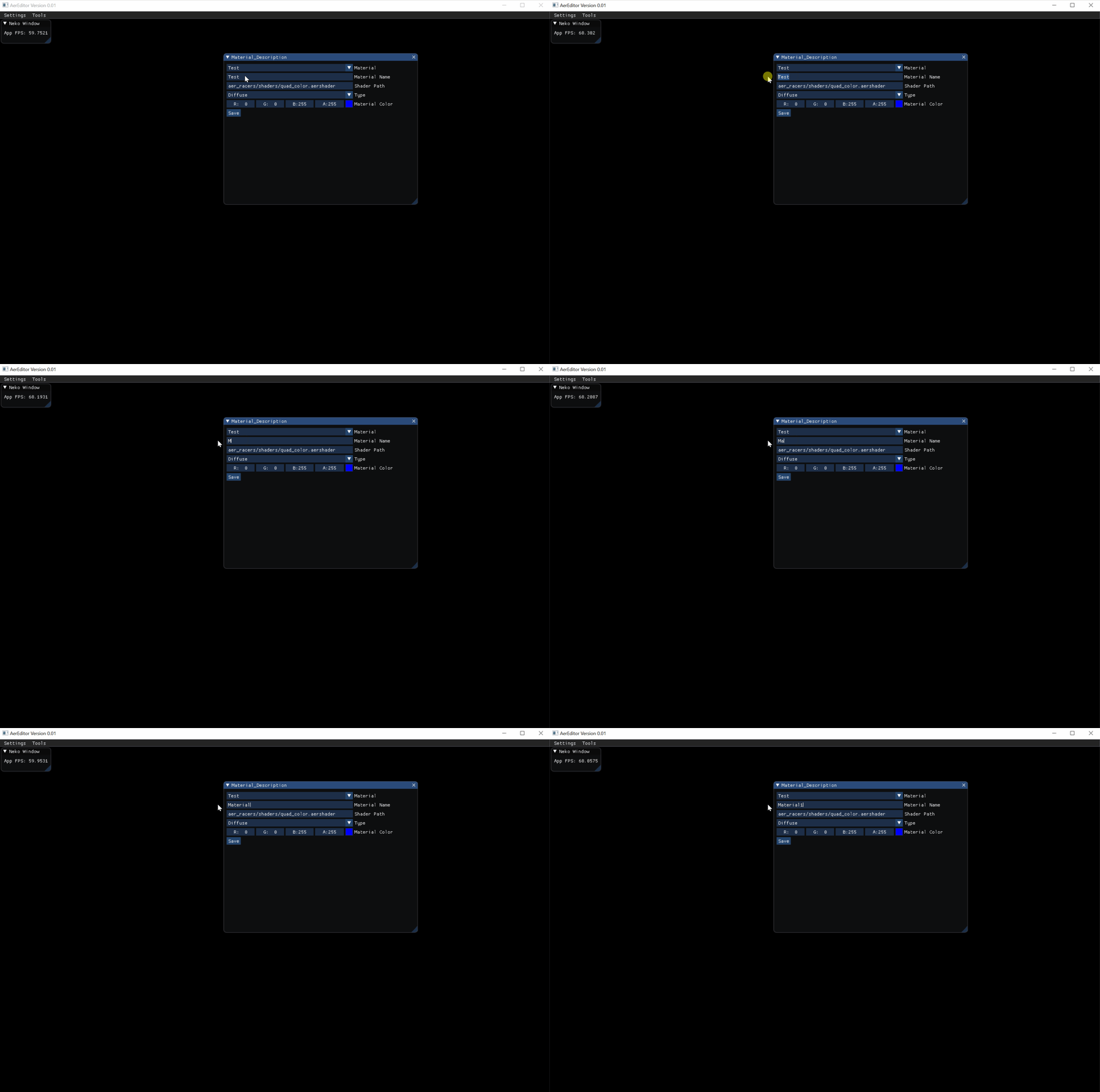
The name of the material and its shader path are created using ImGui::InputText:
  //name
		std::string materialName = selectedMaterial_["name"];
		if(ImGui::InputText("Material Name", &materialName, ImGuiInputTextFlags_None))
		{
			selectedMaterial_["name"] = materialName;
		}

		//shaderpath
		std::string shaderPath = selectedMaterial_["shaderPath"];

		if(ImGui::InputText("Shader Path", &shaderPath, ImGuiInputTextFlags_None))
		{
			if(std::filesystem::exists(shaderPath))
			{
				selectedMaterial_["shaderPath"] = shaderPath;
			}
			else
			{
				ImGui::Text("Wrong path.");
			}
		}
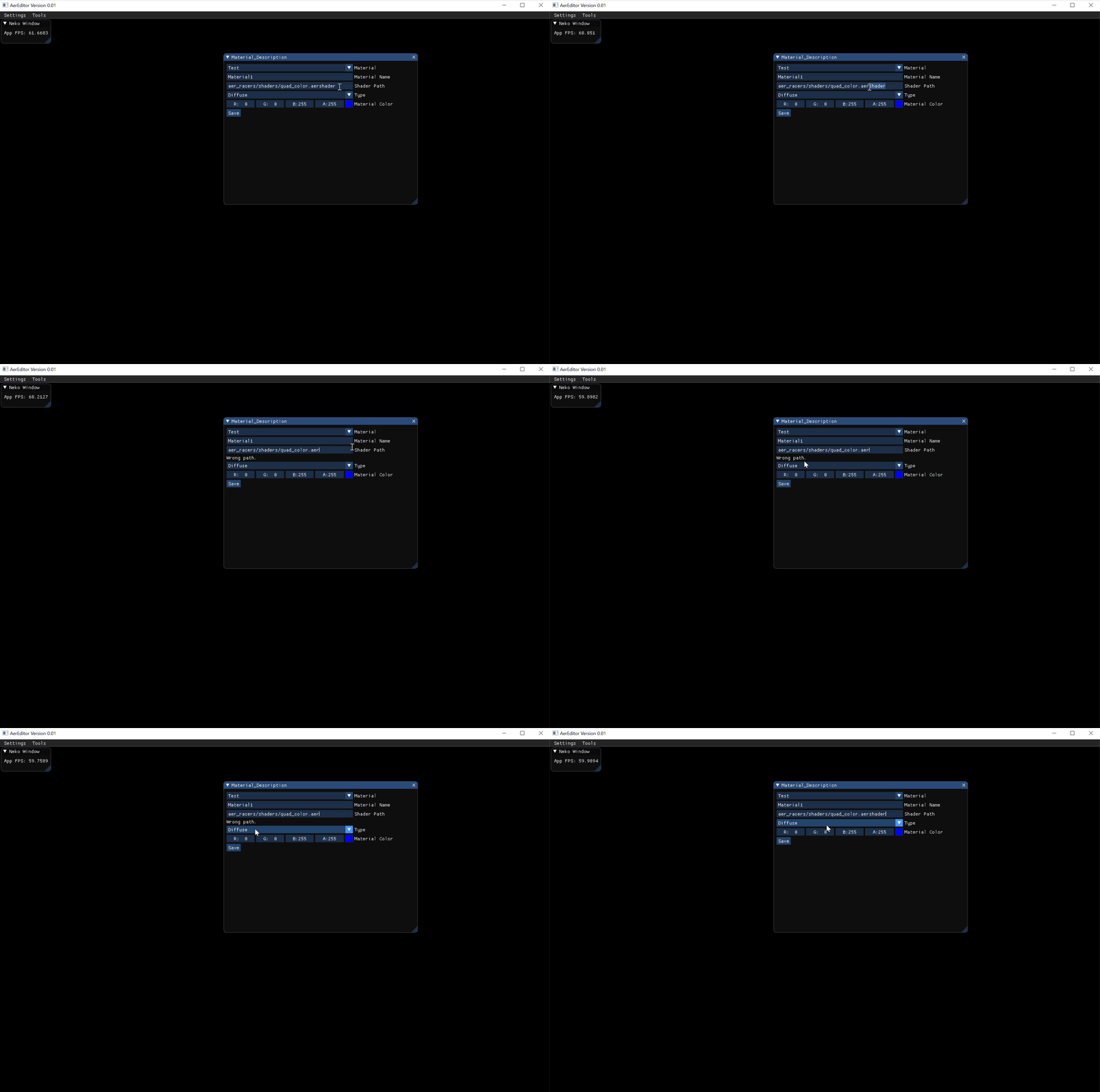
To make sure the shader path is correct, there is an if statement using std::filesystem::exists to determine if the shader path is correct. If not, the shader path will not be saved in the file.
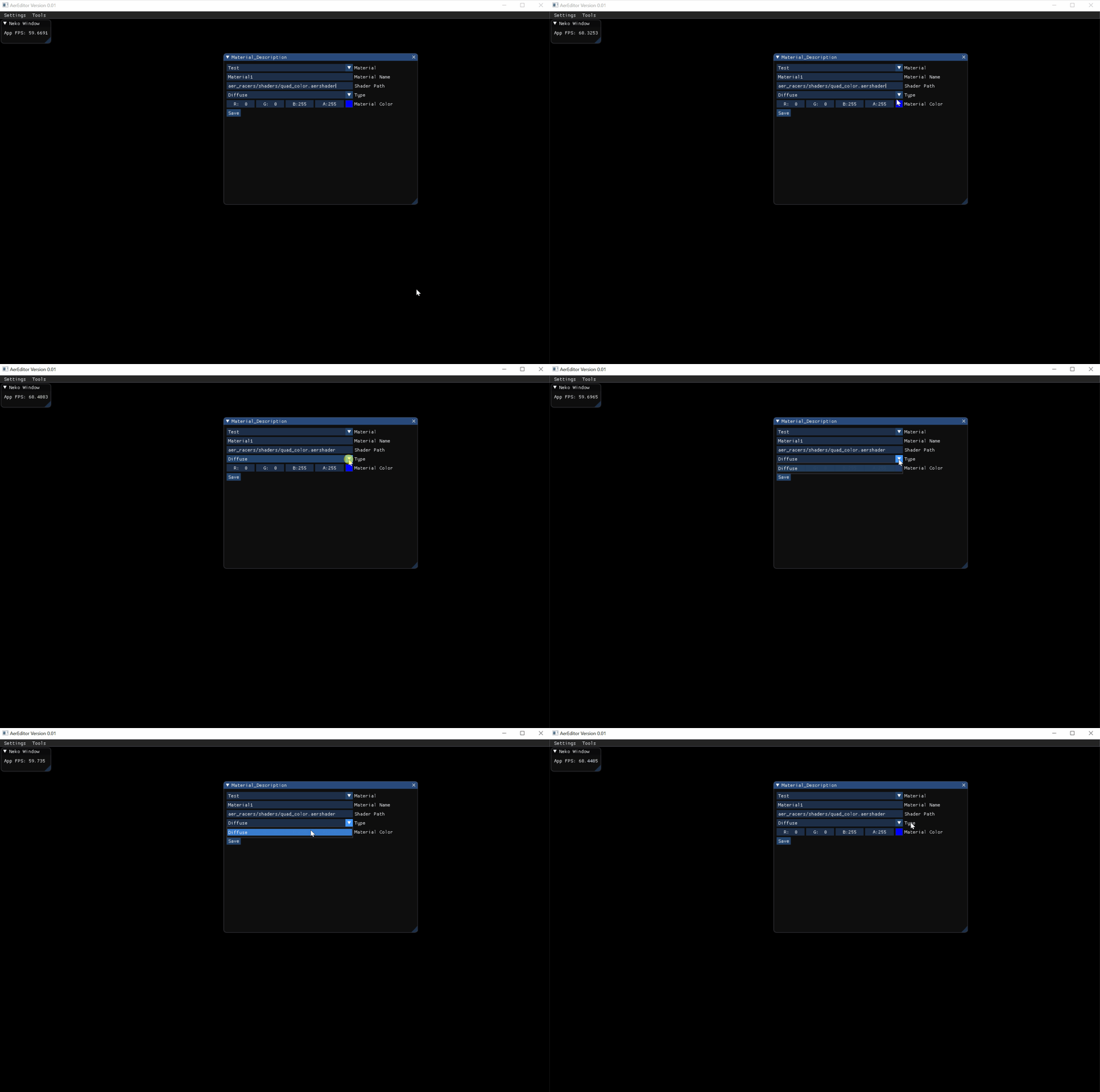
For the material type, it is another ImGui::Combo that lets you choose which type you want from a list (for now only diffuse is available). All labels are stored in the typeLabels_ variable in the header:
		//type
		int type = selectedMaterial_["type"];
		if(ImGui::Combo("Type", &type, typeLabels_, IM_ARRAYSIZE(typeLabels_)))
		{
			selectedMaterial_["type"] = type;
		}
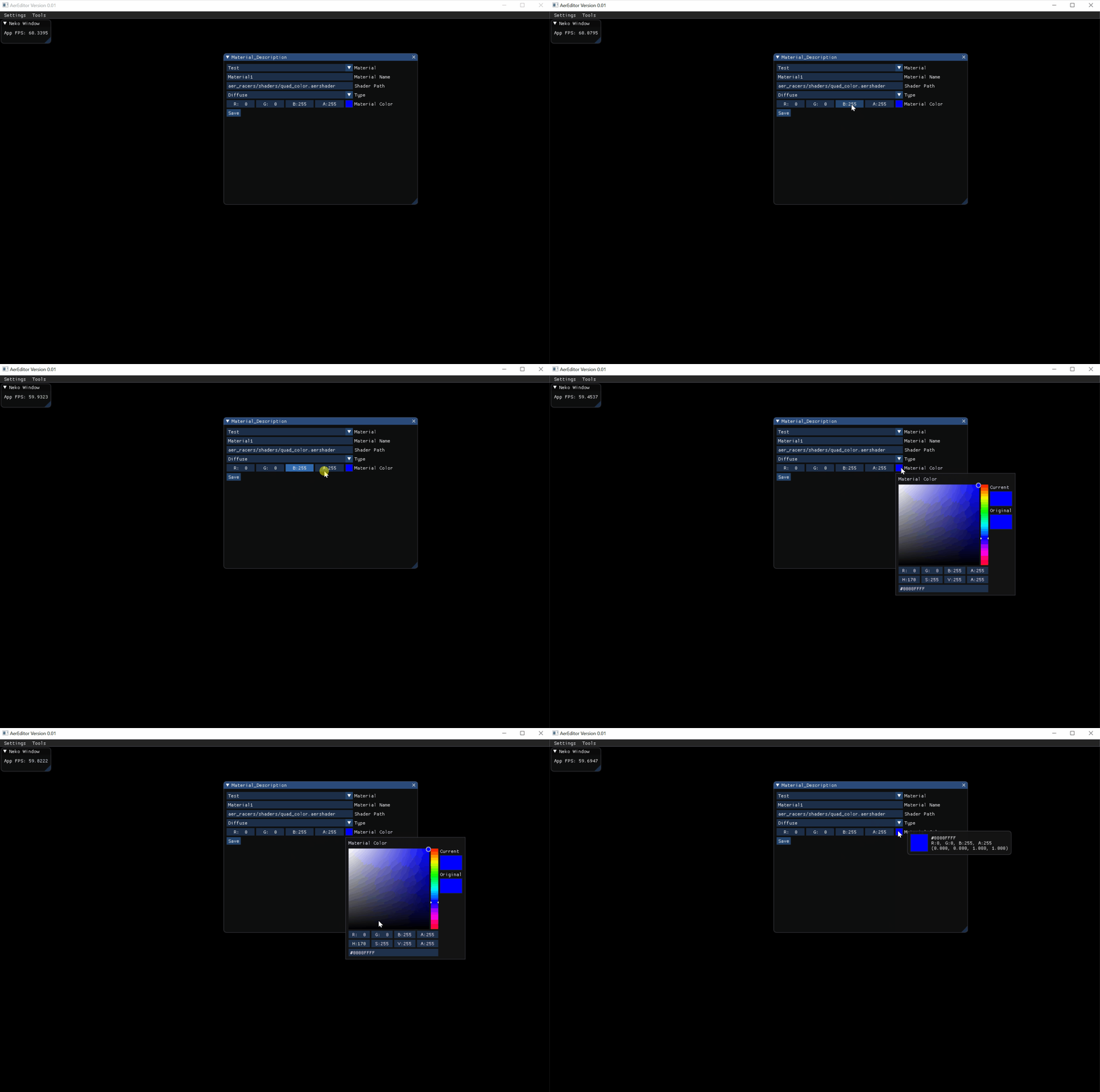
The last thing that can be changed in the tool is the color. For this, the user can either change the RBGA variables individually or click on the colored square to choose from a color wheel. This feature was created using ImGui::ColorEdit4:
		//color
		Color4 materialColors;
		materialColors.r = selectedMaterial_["color"]["r"];
		materialColors.g = selectedMaterial_["color"]["g"];
		materialColors.b = selectedMaterial_["color"]["b"];
		materialColors.a = selectedMaterial_["color"]["a"];

		if(ImGui::ColorEdit4("Material Color", & materialColors[0]))
		{
			selectedMaterial_["color"]["r"] = materialColors.r;
			selectedMaterial_["color"]["g"] = materialColors.g;
			selectedMaterial_["color"]["b"] = materialColors.b;
			selectedMaterial_["color"]["a"] = materialColors.a;

		}
When all changes have been made, the user has to press the “Save” button so that every change is saved into the json file:
		if(ImGui::Button("Save"))
		{
			std::ofstream material(materialsPaths_[selectedMaterialIndex_]);

			material << std::setw(4) << selectedMaterial_;

			LoadMaterialFiles();
		}
Conclusion
Working on this tool was